How to Submit for Approval
-
If you are placing an order that is above the set threshold, the system prompts you to submit the order for approval.
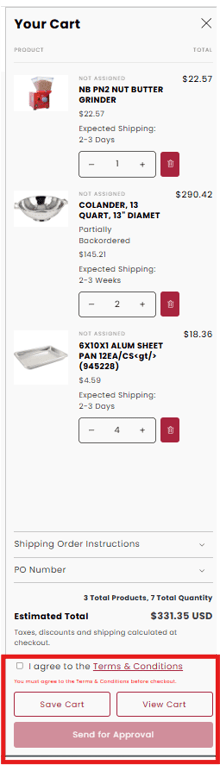
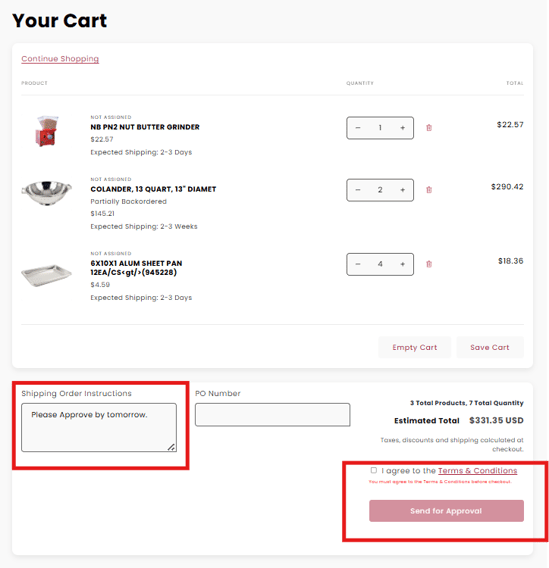
-
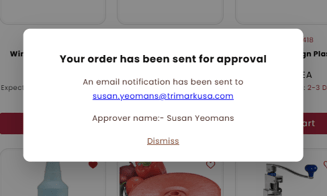
When you submit an order for approval, a popup notification will appear confirming that your order has been sent for approval. Both End User and Approver will receive email notification with order details.
- Approver will see Orders for Approval
- All Orders will remain in 'Drafts' until Approved.
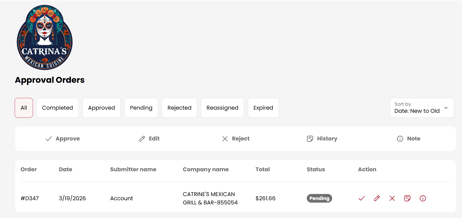
- All Orders will remain in 'Drafts' until Approved.
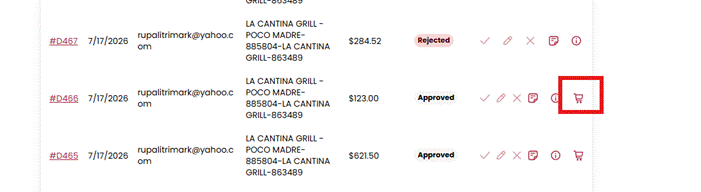
- Approved Orders
- Once Approved, the Approver will be taken to the check-out page to complete the order.
- If the system times out, please refresh your page to return to the Approved Orders List then click the cart to complete the order.
Click to watch the video: